DAPComposer
Manage your local music library, and sync it straight to your digital audio player.
Features
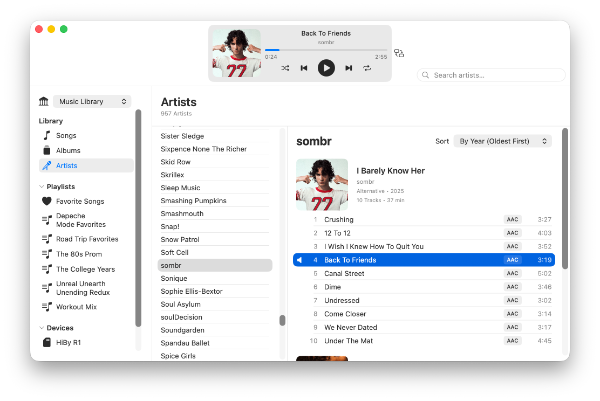
Effortless Library Management
Point DAPComposer at your local music folders and it takes care of the rest, keeping your artists, albums, and playlists organized and ready to sync.
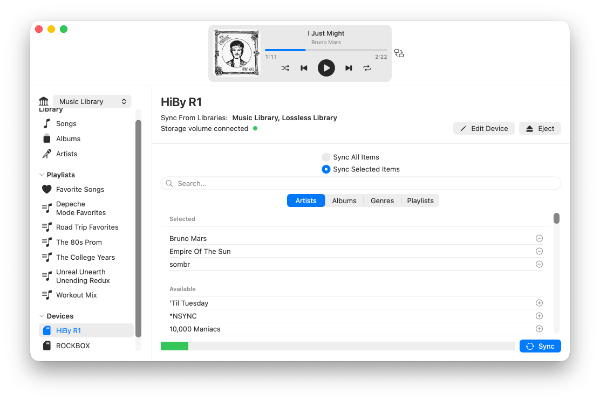
One-Click Sync
Sync your entire library or select the artists, albums, genres, or playlists you want, then send them to your digital audio player with one click — no manual file copying required.
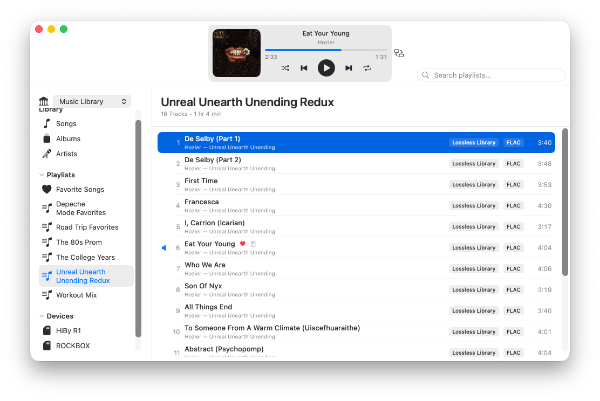
Playlist Creator
Create custom playlists by selecting songs from your library, then sync them to your digital audio player effortlessly.
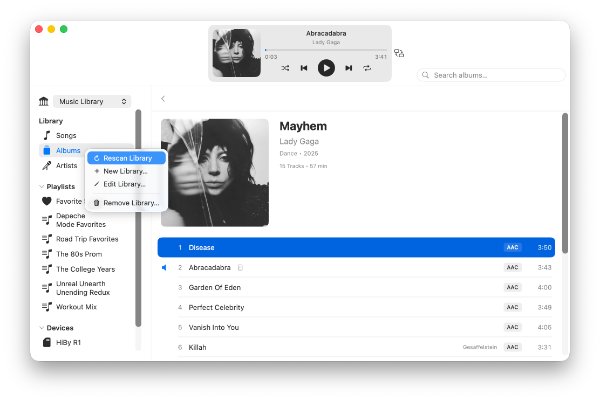
Rescan Library
Rescan your music library at any time to pick up new additions or changes to your collection, then sync to update your device — no more mismatches between your library and what's on your player.
Other Features
- Listen to your library right on your Mac with the built-in player.
- Common audio formats supported.
- Sync sidecar files, such as
Cover.jpgartwork and LRC lyrics, right alongside your music. - Exclude file types your device doesn't support, so every sync just works.
- Import/export playlists.
- And more...
Download
DAPComposer is available for macOS on the Mac App Store, with a free tier and an optional one-time upgrade.
Free
- Unlimited library size
- Sync up to 100 songs
Full Sync Unlock
- Unlimited library size
- Unlimited syncing

Getting Started
With DAPComposer, you'll be syncing your music in just a few steps.
- 1 Add your music library.
- 2 Add your digital audio player.
- 3 Select the artists/albums/genres/playlists to sync.
- 4 Sync your files.
- 5 Eject and listen!